Barely Drawn has 24 drawing styles. Below are 21 of them, each shown next to the sample photo it started from. Every style got a different sample photo, so instead of comparing faces, look at what each style does to lines, color and background.
A few things are true for every style:
- The result is a new 512 × 512 square image, not a filter laid over your photo.
- Every run comes out a little different, even with the same photo and style.
- Small details can change. We explain why in Why AI drawings change faces, text and backgrounds.
How to read the comparisons
When you look at a pair, ask three questions:
- Lines or texture? Some styles are about outlines (marker, ink, sketch). Others replace the surface with a material (clay, yarn, paper, glass).
- Are the colors kept? Sketch and comic styles mostly keep the original colors. Wonky, pop art and stained glass happily invent new ones.
- What happens to the background? Some styles keep the scene. Others simplify it, turn it into a pattern or rebuild it entirely.
Hand-drawn looks
These stay closest to "someone drew this with a pen." Pose and outfit usually survive; detail depends on how many lines the style allows.
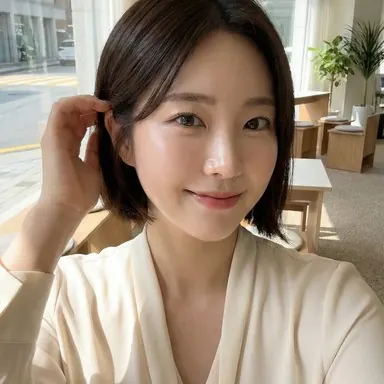
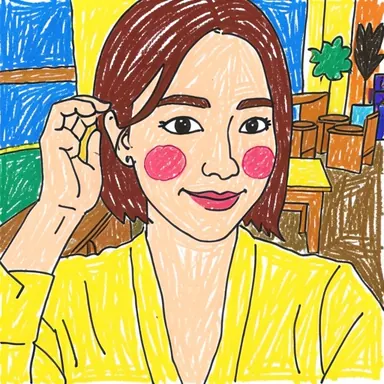
Wonderfully Wonky is our signature mess: loose lines and colors doing their own thing. In this sample the top became yellow and the room turned into a colorful wall. If you want deliberately clumsy, this is the one. More examples on the photo to wonky drawing page.
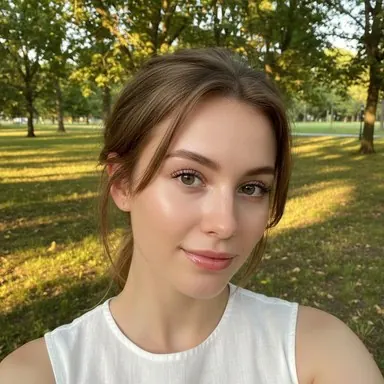
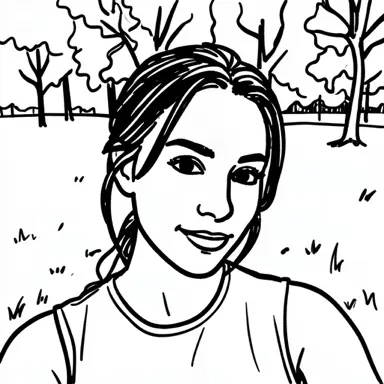
Marker Mayhem keeps only bold black strokes. Faces get a few confident lines, and a busy park background becomes simple tree outlines. See more on the photo to marker drawing page.
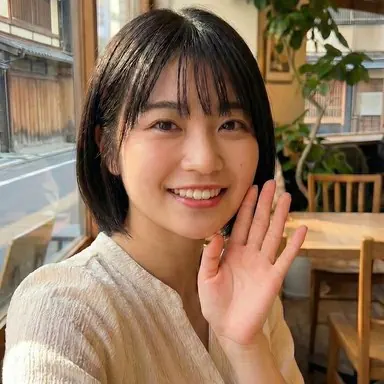
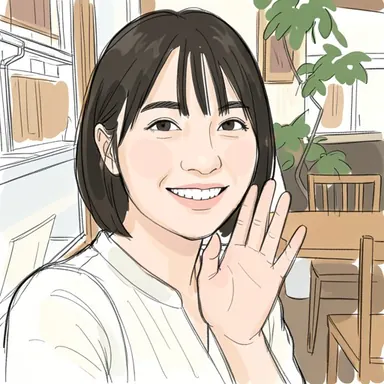
Scribble & Shade is pen lines with a light wash of color. It keeps the pose, outfit and room quite faithfully, which makes it a safe first try.

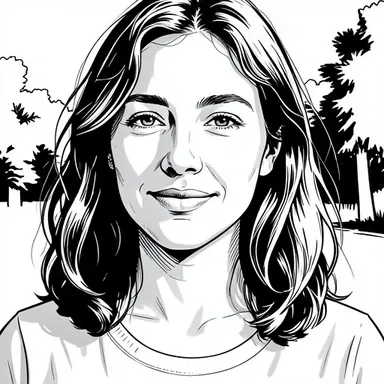
Bold & Neat uses crisp black ink and hatching. It drops color completely, so it works well when the photo's colors are not the point.
Craft and material looks
These rebuild the picture out of a material. They are the most "toy-like," and they simplify faces the most.
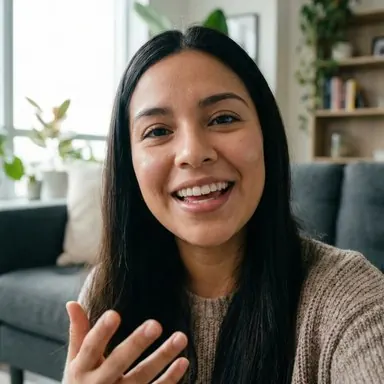
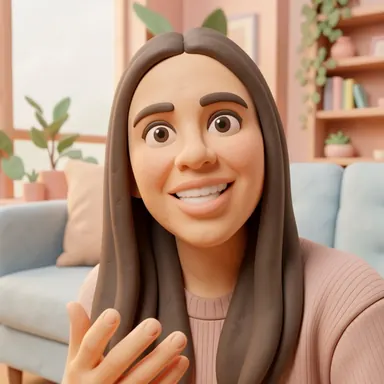
Squish & Shape turns everything into rounded clay. Features become smooth and simple, like a stop-motion puppet. More on the photo to clay art page.
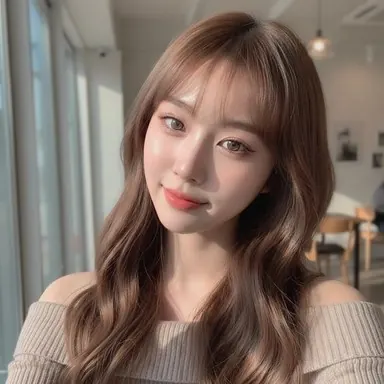
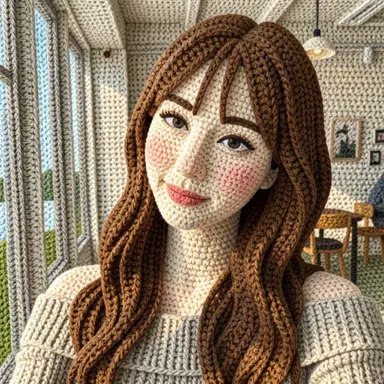
Warm & Fuzzy knits the whole scene, hair included. Fine facial details get softened into stitches. More on the photo to yarn art page.
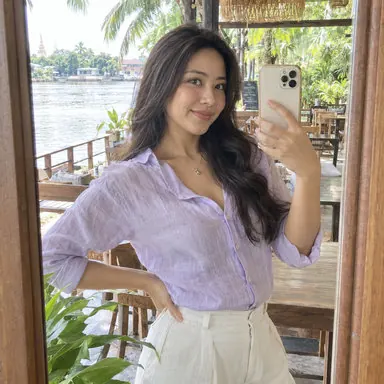
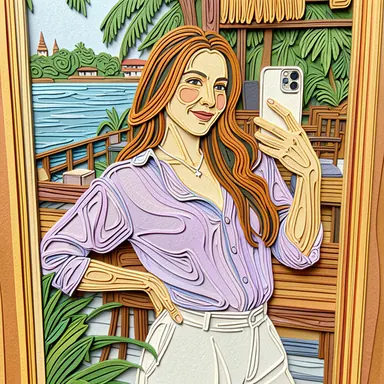
Curl & Coil builds the image from curled paper strips. Expect bold shapes and lots of texture rather than fine lines.
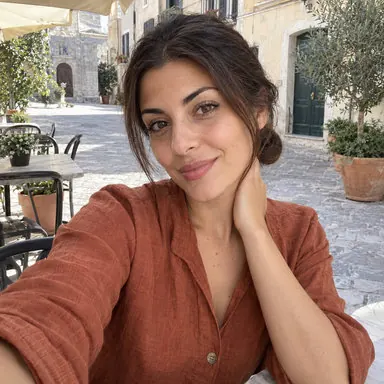
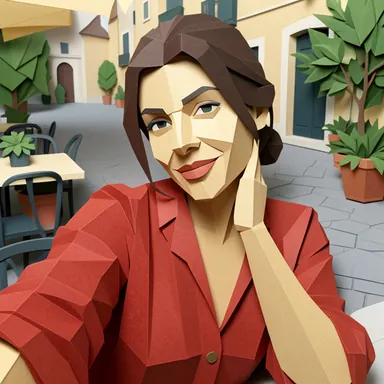
Fold & Form flattens the scene into folded paper planes, a bit like low-poly origami.
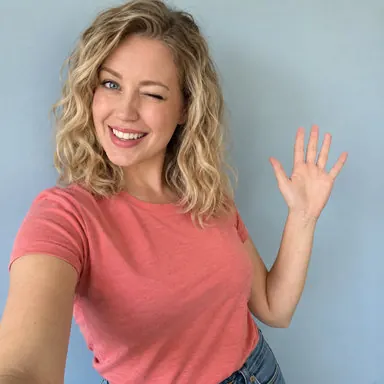
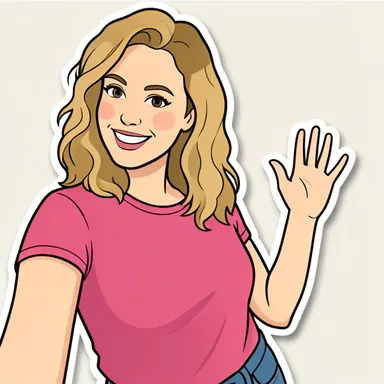
Peel & Stick draws a clean cartoon with a white sticker border and usually drops the background. It is a natural fit for profile pictures — see How to turn a selfie into a drawn profile picture.
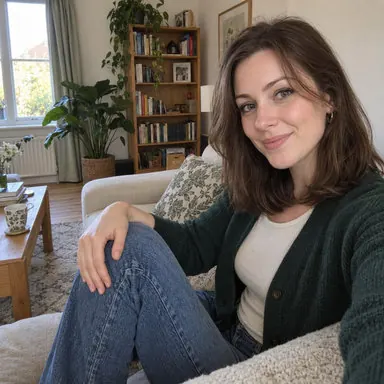
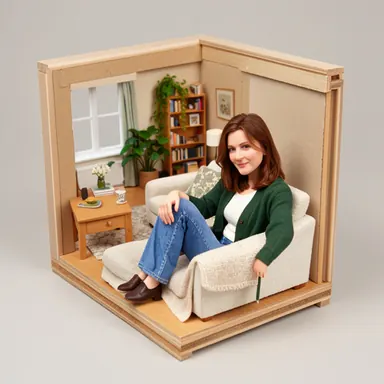
Tiny & Tidy goes furthest: it rebuilds the whole scene as a miniature model in a box. Great fun, least literal.
Retro, game and print looks
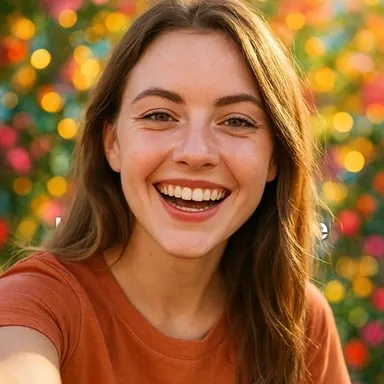
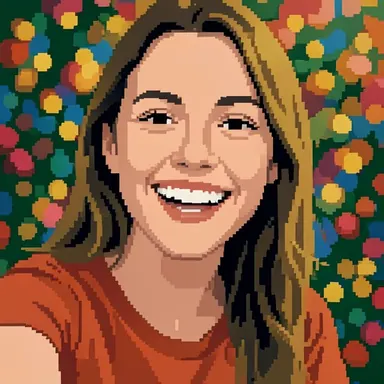
Block by Block builds the image from tiny squares with a limited palette. In this sample the blurry background lights became a polka-dot pattern. The result is a picture, not an editable sprite file. More on the photo to pixel art page.
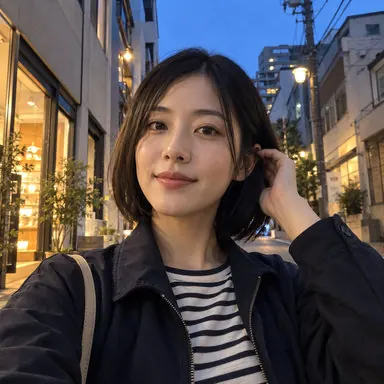
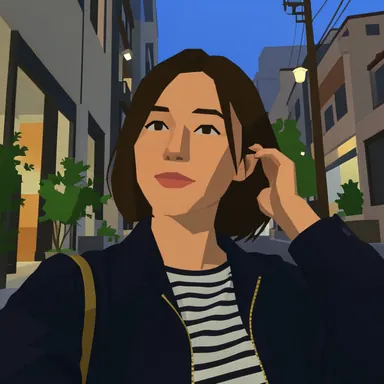
Chunky & Clunky looks like an early 3D video game: flat colors and blocky shapes. It handles busy street scenes surprisingly well.
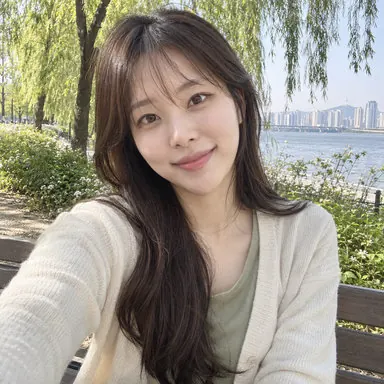
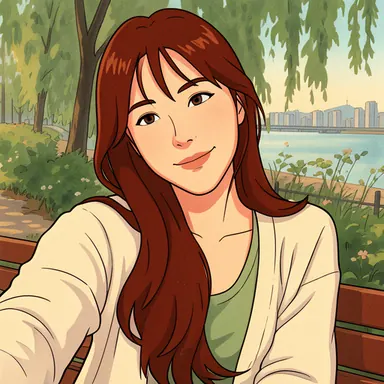
Frame by Frame borrows the soft look of old-school hand-drawn animation. Notice that it also changed the hair color in this sample — colors are suggestions to this style.
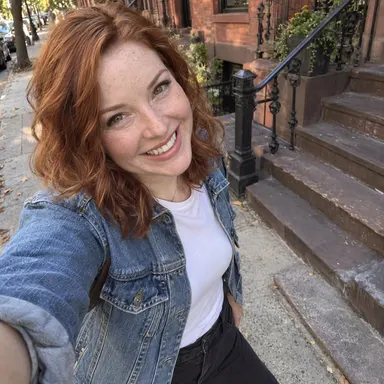
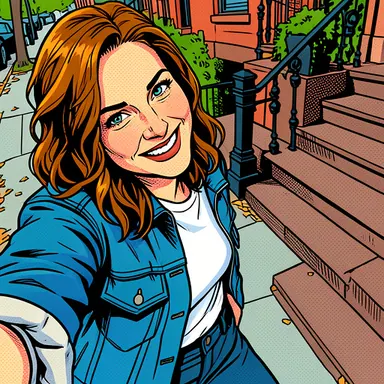
Comic & Color draws a full-color comic panel with strong outlines and keeps most of the original scene.
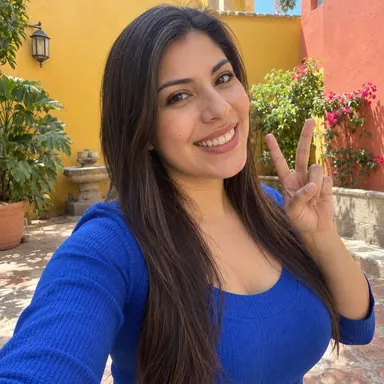
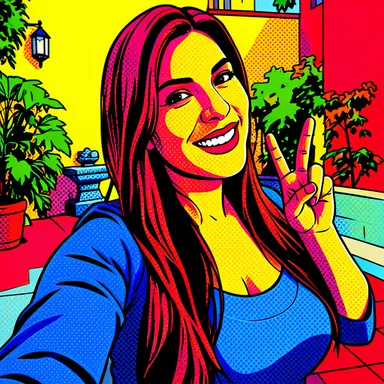
Pop & Punch swaps natural colors for loud, flat ones and adds comic-print halftone dots.
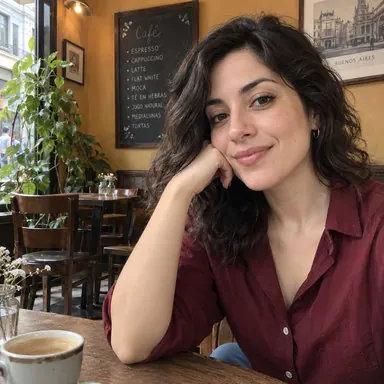
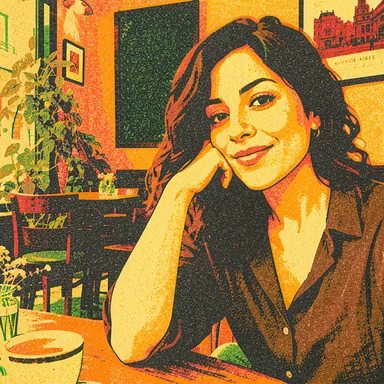
Layer by Layer imitates risograph printing: a few overlapping ink colors and a slightly grainy finish.
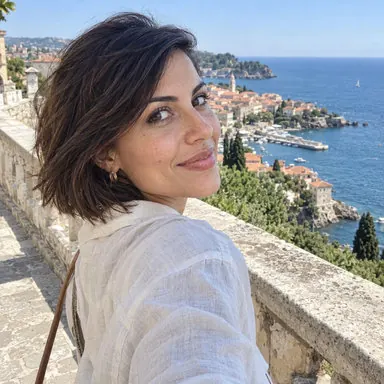
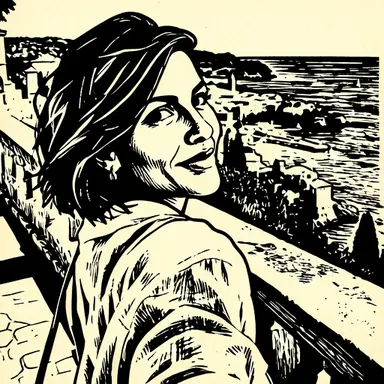
Carve & Stamp turns the photo into a black-and-white carved print. Large shapes survive; small details do not.
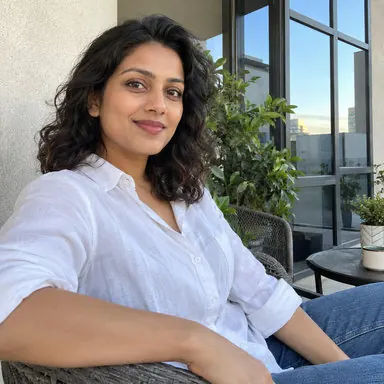
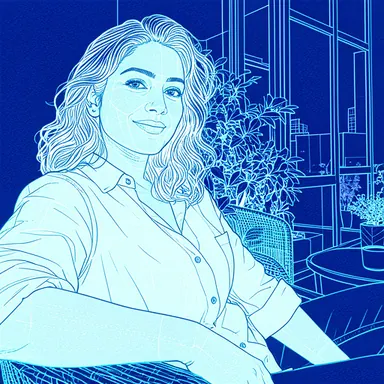
Lines & Logic redraws everything as white lines on blueprint blue. It ignores the original colors entirely.
Paint, glass and tiles
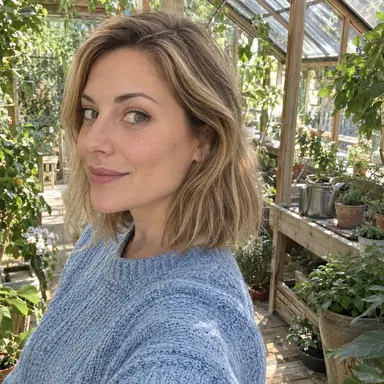
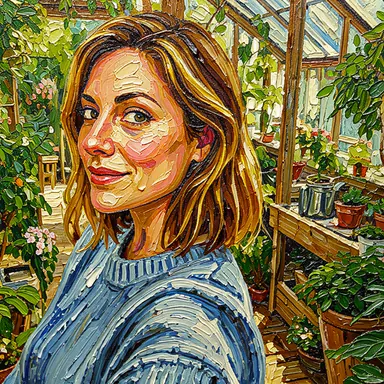
Thick & Textured paints with heavy, raised oil strokes. Skin and fabric pick up a lot of brush texture.
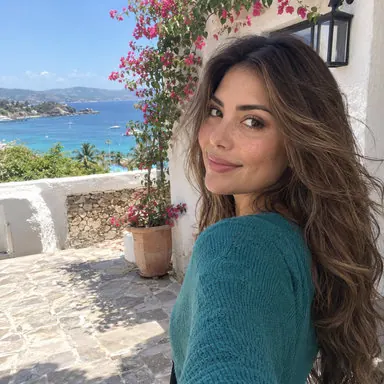
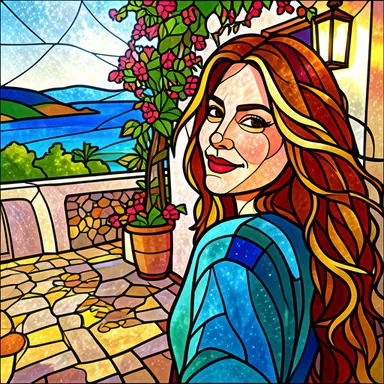
Glass & Glow breaks the image into glowing glass pieces with dark lead lines. In this sample it also recolored the hair and rebuilt the background.
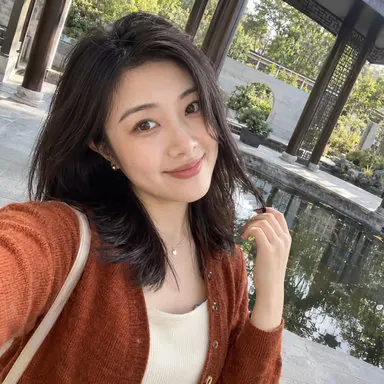
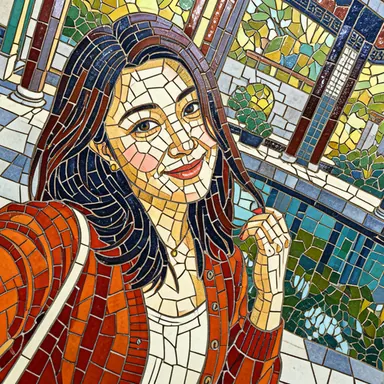
Tile by Tile pieces the image together from small tiles. Like stained glass, it trades detail for pattern.
Which style should you pick?
| If you want… | Try |
|---|---|
| A drawing that still looks like the photo | Scribble & Shade, Comic & Color, Bold & Neat |
| Something silly to share | Wonderfully Wonky, Marker Mayhem, Squish & Shape |
| A cute avatar | Peel & Stick, Frame by Frame |
| A cozy, handmade feel | Warm & Fuzzy, Curl & Coil, Fold & Form |
| Retro or game vibes | Block by Block, Chunky & Clunky, Pop & Punch |
| A poster or print look | Layer by Layer, Carve & Stamp, Lines & Logic |
| The most dramatic change | Tiny & Tidy, Glass & Glow, Tile by Tile |
Three more styles — Bright & Bold (wax crayon), Snip & Stick (torn paper) and Wash & Swish (watercolor) — are in the app but do not have a sample comparison here yet.
The quickest way to choose is still to try two or three styles on the same photo. Each drawing in the app starts only after you finish a rewarded ad, and every result comes out a little different.
Example images come from Barely Drawn's style sample set. Your results will differ.